
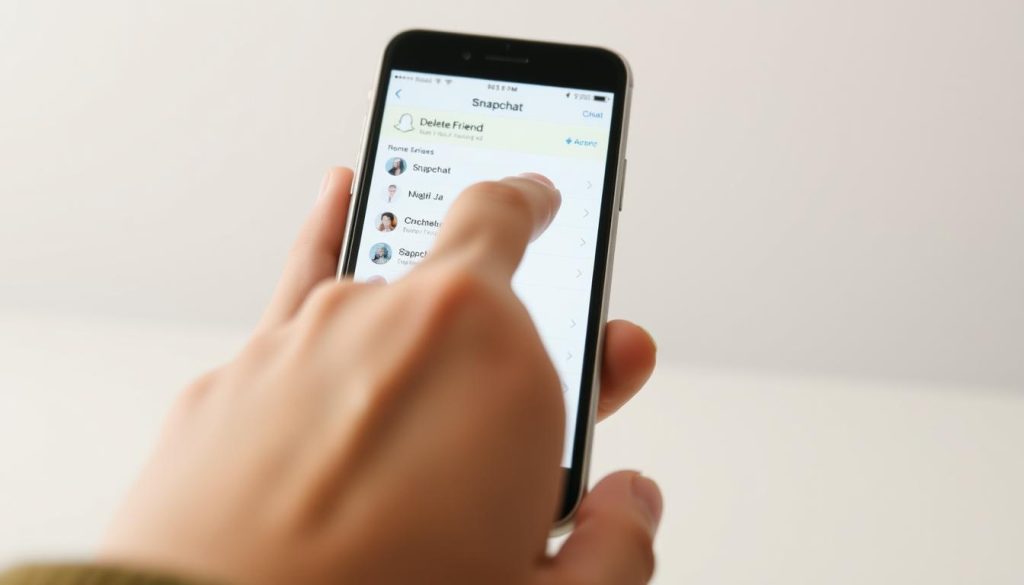
Managing your Snapchat connections is vital for a comfortable social media experience. Deleting friends helps curate your digital network and control online interactions. Snapchat offers specific methods to remove connections efficiently12.
Removing friends on Snapchat isn’t a one-click solution. It requires careful navigation through several steps. Users can only delete friends one at a time32.
Deleted friends won’t get notifications about their removal. They can still view public content but lose access to private stories. Personal interactions will also be restricted32.
Key Takeaways
- Snapchat requires manual friend removal process
- Deleted friends are not notified of removal
- Multiple privacy options exist for managing connections
- Users can control who sends them snaps
- Removing a friend does not automatically block communication
Understanding Snapchat Friend Management Basics
Managing Snapchat contacts is crucial for your social network. Knowing how to remove friends and adjust privacy settings is key. These skills help you control your Snapchat experience effectively4.
Snapchat offers various ways to manage your social interactions. These options affect your privacy and how you communicate with others5.
Key Differences in Friend Interactions
Removing and blocking friends on Snapchat have different effects. Understanding these differences is important for managing your connections.
- Removing a Friend:
- Blocking a Friend:
- Completely prevents profile viewing and communication4
- More restrictive than simply removing a contact
Privacy Settings and Their Impact
Snapchat’s privacy options let you control who contacts you or sees your stories4. You can choose from these settings:
- Everyone
- My Friends
- Custom settings
Post-Removal Consequences
After removing a friend, they can’t see your private content anymore. Their ability to interact with you becomes limited4.
Regularly review and manage your friend list. This helps keep your social network relevant and comfortable4.
Pro Tip: Snapchat requires individual friend removal, so take time to curate your connections carefully.
Delete Friends on Snapchat: Step-by-Step Process
Keeping your Snapchat friend list in check is key to social media privacy. You can easily control your connections with the unfriend process. Snapchat lets you remove friends with just a few taps.
- Open the Snapchat app on your device
- Tap your profile icon at the top left of the screen
- Scroll down and select “My Friends”
- Find the friend you want to remove
- Long-press on their name
- Choose “Manage Friendship”
- Select “Remove Friend”
- Confirm the removal
Removing a friend doesn’t send them a notification. Your message thread stays visible until you delete it yourself. Remember, Snapchat doesn’t allow bulk friend removals.
You’ll need to delete friends one by one. This process helps you keep your friend list tidy and manageable.
| Action | Result |
|---|---|
| Remove Friend | Can still message, no Story access |
| Block Friend | Complete communication cut-off |
Check your friend list often for a better social media experience. These steps make it easy to manage your Snapchat connections. Take control of your digital social circle today67.
Alternative Methods for Managing Snapchat Connections
Snapchat offers various ways to manage your social connections. Users can adjust their friend list and set digital boundaries. The platform provides flexible options for a tailored experience.
The Chat screen offers a quick way to manage friendships. Just tap and hold a username to see options. This method is faster than navigating through multiple menus87.
Blocking is a more definitive solution for unwanted contacts. Blocking stops all communication and content. It’s useful when you need to completely cut off interaction78.
Snapchat lets you manage recently added friends easily. Tap the three dots icon in the friends list. This feature helps you review and adjust your connections quickly8.
FAQ
How do I delete a friend on Snapchat?
Open Snapchat and go to your Friends list. Tap and hold on the friend you want to remove. Select “Remove Friend” from the pop-up menu.
You can also open a chat with the friend. Tap their name at the top of the screen. Choose the “Remove Friend” option.
Will someone know if I delete them on Snapchat?
No, Snapchat doesn’t notify users when they’re removed from friends lists. They’ll only notice if they can’t interact with you anymore.
What’s the difference between removing and blocking a friend on Snapchat?
Removing a friend allows them to add you back later. Blocking prevents them from finding you in search or viewing your profile.
Blocking also stops them from sending you Snaps. It’s a stronger measure for unwanted connections.
Can I recover a friend after deleting them?
If they haven’t blocked you, you can send a new friend request. They can also add you back as a friend.
However, your previous chat history and Snapstreaks will be lost. These can’t be recovered after removing a friend.
How do I manage my recently added friends on Snapchat?
Go to your Friends list and find the “Added Me” section. Here, you can review new connections.
You can choose to accept, remove, or block them. This helps you manage contacts before they become permanent friends.
What privacy settings affect friend removal on Snapchat?
Snapchat’s privacy settings control who can contact you or see your profile. You can adjust “Who Can Contact Me” and “Who Can See My Story”.
These settings help manage interactions with friends before or after removing them from your list.
Is there a way to mass remove friends on Snapchat?
Snapchat doesn’t offer a bulk friend removal feature. You’ll need to remove friends one by one.
Tap and hold on each friend’s name. Then select “Remove Friend” for each person you want to delete.
What happens to our Snapstreak when I remove a friend?
Removing a friend immediately ends any existing Snapstreak between you. To keep your Snapstreak, don’t remove the friend.
Instead, continue sending daily Snaps to each other. This will maintain your Snapstreak connection.
Source Links
- How to Delete Friends in Snapchat – https://www.alphr.com/snapchat-delete-friends/
- The Ultimate Guide to Bulk Removing Multiple Friends on Snapchat – https://moviemaker.minitool.com/moviemaker/how-to-remove-multiple-friends-on-snapchat-at-once.html
- How to Remove a Friend on Snapchat: 7 Simple Steps – https://www.wikihow.com/Delete-Friends-on-Snapchat
- Snapchat Contacts Overwhelming? Unfriend with Ease Using This 2024 Guide! – https://howset.com/delete-friends-on-snapchat/
- How to Use Snapchat – https://www.pcmag.com/how-to/how-to-use-snapchat
- How To Remove Or Block Friends On Snapchat – Red Sand Marketing – https://www.redsandmarketing.com/how-to-remove-or-block-friends-on-snapchat/
- How to Delete Friends on Snapchat: 2 Quick Ways – https://www.guidingtech.com/how-to-delete-friends-on-snapchat/
- 10 Ways to Get More Snapchat Friends for Your Business – https://www.singlegrain.com/social-media-management/10-ways-to-get-more-snapchat-friends-for-your-business/

