
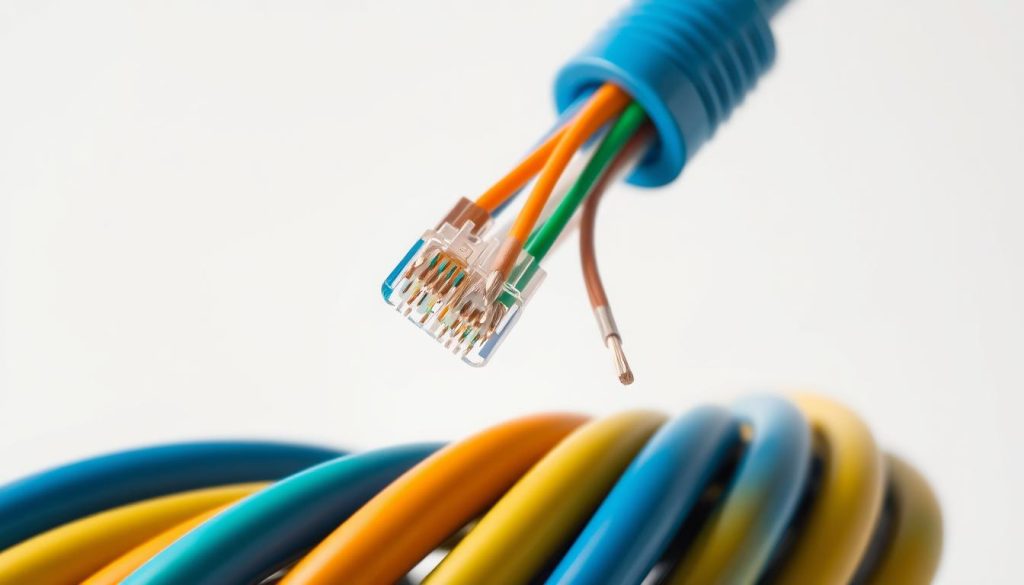
Network cable wiring is vital for reliable connectivity in modern infrastructure. The Ethernet Cat 5 color code guides professionals and enthusiasts in network cable installations1. Proper color configurations ensure precise and effective network connections2.
Cat5 cables are essential for network communications. They use four twisted pairs of copper wire. This design minimizes electromagnetic interference and supports reliable network performance2.
Since 1995, TIA/EIA standards have set guidelines for network cable wiring. These standards define color codes and pin configurations. Technicians must follow these rules for optimal network connectivity1.
Key Takeaways
- Cat5 cables use specific color coding for reliable network connections
- Two primary wiring standards exist: T-568A and T-568B
- Color codes help prevent signal interference and ensure proper data transmission
- Proper cable termination requires understanding pin assignments
- Network performance depends on correct cable configuration
Understanding Ethernet Cat 5 color code Standards
Structured cabling uses specific color-coding standards for reliable network connections. Two main color standards exist for Ethernet cable installation3. These help maintain consistency in RJ45 connector pinout and cable termination4.
Network technicians use two main Ethernet cable color standards: T568A and T568B. While they might seem similar, these standards have crucial differences in wire arrangement4.
Key Color Configuration Details
The color standards specify exact wire placements for effective network communication:
- T568A Standard Configuration:
- Green and white-green pair
- Orange and white-orange pair
- Blue and white-blue pair
- Brown and white-brown pair
- T568B Standard Configuration:
- Orange and white-orange pair
- Green and white-green pair
- Blue and white-blue pair
- Brown and white-brown pair
Pin Assignment Fundamentals
Knowing the RJ45 connector pinout is vital for proper network cable installation. Not all eight wires are used in standard Ethernet wiring4.
Only pairs 2 and 3 are used for standard Ethernet connections. Pairs 1 and 4 can serve other purposes like telephone lines4.
Precision in cable color coding ensures reliable and consistent network performance.
The American National Standards Institute (ANSI) chose the Telecommunications Industry Association (TIA) to set cable standards. These standards are widely accepted in the networking industry3.
Essential Tools and Steps for Cable Termination
Patch cable termination is crucial for LAN wiring. It requires precision and the right tools for reliable network connections. Understanding the key steps is vital for creating high-performance Ethernet cables5.
Essential tools include wire cutters, RJ45 connectors, and a specialized crimping tool. RJ45 connectors have 8 pins and contacts for proper termination6. Cable testers check continuity and wiring to prevent network failures5.
Careful cable preparation is key in Ethernet cable termination. Cut the cable to length and strip the outer jacket carefully. Strip no more than 0.5 inches to avoid connector grip issues6.
The T568B wiring scheme is most common. It ensures compatibility with most networking hardware5. Avoiding wiring mistakes is crucial for network reliability.
Loose crimps, improper wire arrangement, and damaged cables can harm signal integrity. Use a ratcheting crimping tool for tight connections6. Protective boots or tape prevent connector tab breakage, extending cable life5.
FAQ
What is the purpose of color coding in Ethernet Cat 5 cables?
Color coding in Ethernet Cat 5 cables ensures proper wire arrangement and consistent network connectivity. It organizes twisted pair wires inside the cable. This method is crucial for maintaining signal integrity and preventing network errors.
What are the two main Ethernet cable color code standards?
The two primary Ethernet cable color code standards are T568A and T568B. Both ensure proper connectivity and are widely used in network installations. They differ slightly in wire color placement, mainly in green and orange pairs.
What tools do I need to terminate an Ethernet Cat 5 cable?
To terminate an Ethernet Cat 5 cable, you’ll need several key tools. These include a wire stripper, RJ45 crimping tool, and cable tester.
You’ll also need a cutting blade and RJ45 connectors. These tools help prepare, cut, and arrange the cable during termination.
How do I know which color code standard to use?
Most modern networks use the T568B standard, which is common in the United States. T568A is also acceptable. The key is to maintain consistency within your network.
If extending an existing network, use the same standard that was originally implemented.
What is the significance of the RJ45 connector pinout?
The RJ45 connector pinout determines how colored wires connect to specific pins. Each colored wire has a specific function in network communication. Understanding this pinout is crucial for creating reliable network connections.
Can I mix T568A and T568B standards in the same network?
Mixing standards is not recommended, though technically possible. It can lead to connectivity issues and signal interference. For reliable network performance, stick to one standard throughout your network infrastructure.
What are common wiring mistakes to avoid during cable termination?
Common wiring mistakes include improper wire untwisting and incorrect color code arrangement. Not maintaining wire pair twists close to the connector is another issue.
Using low-quality connectors can also cause problems. Always follow the color code standard carefully and use quality components.
How do I test my terminated Ethernet cable?
Use a cable tester to verify your terminated Ethernet cable. It checks for proper wire connectivity and detects any shorts or crossed wires. The tester confirms that all eight pins are correctly arranged according to the chosen standard.
Source Links
- Ethernet Cable Color Coding Diagram – https://incentre.net/ethernet-cable-color-coding-diagram/
- Cat 5 Wiring Diagram | How to Set Up & Troubleshoot – https://reolink.com/blog/cat5-wiring/?srsltid=AfmBOoomexxoGJSKdeNUREUW2C9J1n49QkQSfBttjh23rcz47R2Mj-YP
- Different Cable Colors and Their Uses: the Complete Guide – https://www.cablewholesale.com/blog/index.php/2022/01/26/different-cable-colors-and-their-uses-the-complete-guide/?srsltid=AfmBOorZ7ie9_movV6URZhxCZpPTLGkZ9uAsWAs8eWnCqYBWt2qO6gqX
- Cat 5 COLOUR Code Standards – http://kavina-systems.com/articals/Cat5.htm
- How To Terminate CAT5/CAT6 Ethernet Cables | Step by Step Guide – https://info.verkada.com/video-storage/how-to-terminate-ethernet-cables/
- How to Terminate a Cat 5 Cable – https://www.instructables.com/How-to-Terminate-a-Cat-5-Cable/

