
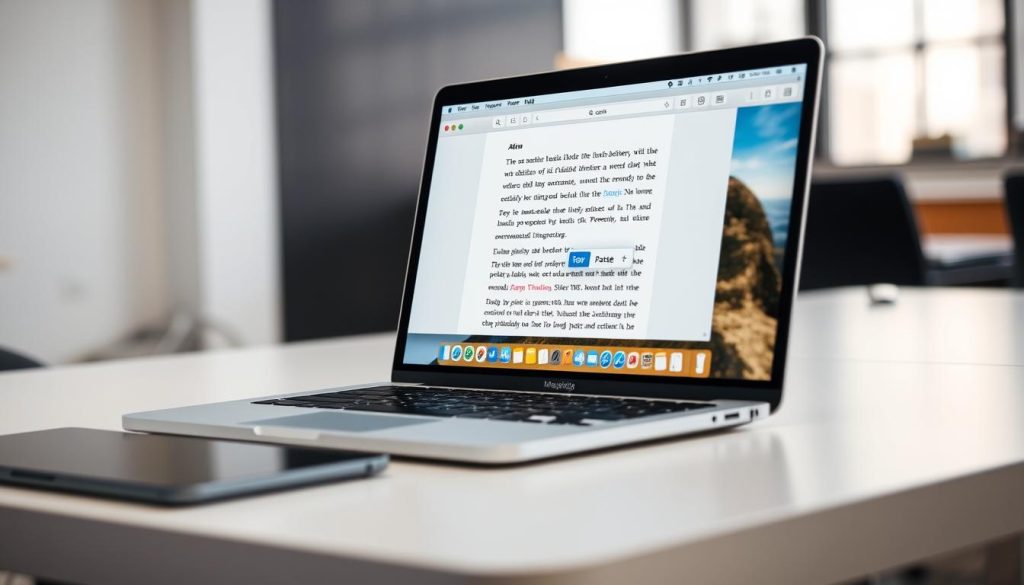
Mastering copy and paste on a MacBook is key for boosting text editing speed. These basic skills can greatly improve your digital workflow in various apps1. Learning these techniques will make your MacBook experience smoother and more efficient.
Copy and paste on MacBook uses simple keyboard shortcuts. MacOS offers many ways to copy and paste text, images, and files quickly1. These methods work across different platforms, making content transfer a breeze.
Key Takeaways
- Learn essential MacBook keyboard shortcuts for copy and paste
- Understand multiple methods for transferring digital content
- Improve text editing productivity with efficient techniques
- Explore Universal Clipboard features across Apple devices
- Adapt quickly to MacBook’s copy and paste functionality
Basic Methods for Copy and Paste on MacBook
Knowing how to use command+c and command+v on a MacBook is crucial. These simple techniques help you manage your clipboard efficiently. They’ll make your work much smoother, whether you’re new to Mac or switching from Windows2.
MacBooks provide various ways to copy and paste content. You can use keyboard shortcuts, mouse actions, or universal clipboard features. These methods work for text, images, and files across different apps3.
Keyboard Shortcuts: Your Fast Track to Efficiency
Keyboard shortcuts are the fastest way to copy and paste on a MacBook. Here are the key commands you need to know:
- Command + C: Copy selected item2
- Command + V: Paste copied item2
- Shift + Command + V: Paste without formatting3
Mouse and Trackpad Techniques
MacBooks offer other copy-paste methods besides keyboard shortcuts:
- Right-click to access context menu
- Use trackpad gestures
- Select from menu bar edit options
Universal Clipboard: Seamless Cross-Device Experience
Universal Clipboard lets you copy between Apple devices easily. This feature, introduced in 2016, allows copying on one device and pasting on another2.
To use Universal Clipboard, make sure your devices meet these conditions:
- Signed into the same iCloud account
- Connected to the same Wi-Fi network
- Bluetooth enabled
Copied items stay available for about two minutes3. For better clipboard management, try third-party apps. They offer unlimited storage and sync across devices3.
Advanced Copy and Paste Techniques
Mac users can boost their productivity with powerful clipboard management techniques. Multi-clipboard tools expand your Mac’s text capabilities4.
Let’s explore some advanced clipboard strategies to improve your workflow:
- Use a hidden second buffer with Kill and Yank commands accessed by Control K and Control Y5
- Explore clipboard manager applications that can store multiple copied items4
- Leverage special paste options like matching styles with Option Command V5
Pro Mac users often use third-party clipboard management solutions. Here are some popular options6:
- Clipboard Center ($6.99)
- Copy’em Paste ($14.99)
- CopyClip ($7.99)
Universal Clipboard lets you copy between Apple devices on the same iCloud account. It requires Bluetooth and WiFi to be on5.
Pasted content has a time limit of one to two minutes5. These advanced Mac text tools can streamline your workflow and boost productivity4.
Conclusion
Mastering copy and paste on a MacBook boosts your text editing speed7. Quick keyboard shortcuts like Command + C, X, and V make content management a breeze8.
Power users can try Universal Clipboard for copying between Apple devices7. Apps like CopyClip and Alfred offer advanced clipboard features for those who need more7.
Having clipboard issues? Restart your Mac to fix minor problems7. You can also try drag and drop methods to improve your workflow9.
Practice these techniques to become a MacBook copy-paste pro. You’ll soon be zipping through digital tasks with ease.
FAQ
What are the most basic ways to copy and paste on a MacBook?
Use Command+C to copy and Command+V to paste. These are the most common keyboard shortcuts. You can also right-click or drag and drop content between apps.
How do I copy and paste across different Apple devices?
Apple’s Universal Clipboard lets you copy on one device and paste on another. Both devices must be signed into the same iCloud account and close to each other.
Can I view my clipboard history on a MacBook?
MacOS only stores the last copied item by default. Third-party apps like Paste or Alfred can manage multiple clipboard items.
How do I paste text without formatting?
Use Command+Shift+V to paste and match style. This pastes text in the current document’s formatting, ignoring the original style.
What if copy and paste aren’t working on my MacBook?
Try restarting the app or your MacBook. Reset System Preferences if needed. Check for software updates or conflicts with other apps.
Can I use Windows keyboard shortcuts for copy and paste on a MacBook?
Most apps support both Windows (Ctrl+C/Ctrl+V) and Mac (Command+C/Command+V) shortcuts. MacBooks use Command instead of Ctrl.
Are there any advanced clipboard management tools for MacBook?
Yes, apps like ClipMenu, CopyClip, and Alfred offer advanced features. These include multiple clipboard storage and custom shortcut settings.
Source Links
- How to copy and paste on Mac – https://mashable.com/article/copy-paste-mac-how-to
- How to Copy and Paste on a Mac – Four Ways | Nektony – https://nektony.com/how-to/copy-and-paste-on-mac?srsltid=AfmBOopSqeGFymIKIpAECExUHfh4waAS6TixGOL5Ogo4PQgYD5eZk5P_
- How to copy and paste on Mac like a Pro [2025 Updated] – https://setapp.com/how-to/copy-and-paste-on-mac
- How To Copy and Paste On a Mac – https://macmost.com/how-to-copy-and-paste-on-a-mac.html
- 10 Mac Copy And Paste Tips And Tricks – https://macmost.com/10-mac-copy-and-paste-tips-and-tricks.html
- How to Copy and Paste on Mac: Advanced Techniques and Tricks – PUNE.NEWS – https://pune.news/technology/how-to-copy-and-paste-on-mac-advanced-techniques-and-tricks-223084/
- How to Copy, Cut and Paste Files in Mac – GeeksforGeeks – https://www.geeksforgeeks.org/how-to-copy-cut-and-paste-files-in-mac/
- How to Copy and Paste on Mac Devices Using ShortCut Keys & More – https://www.aiseesoft.com/how-to/copy-and-paste-on-mac.html
- Is there a right hand shortcut for copy/p… – https://discussions.apple.com/thread/255273023

