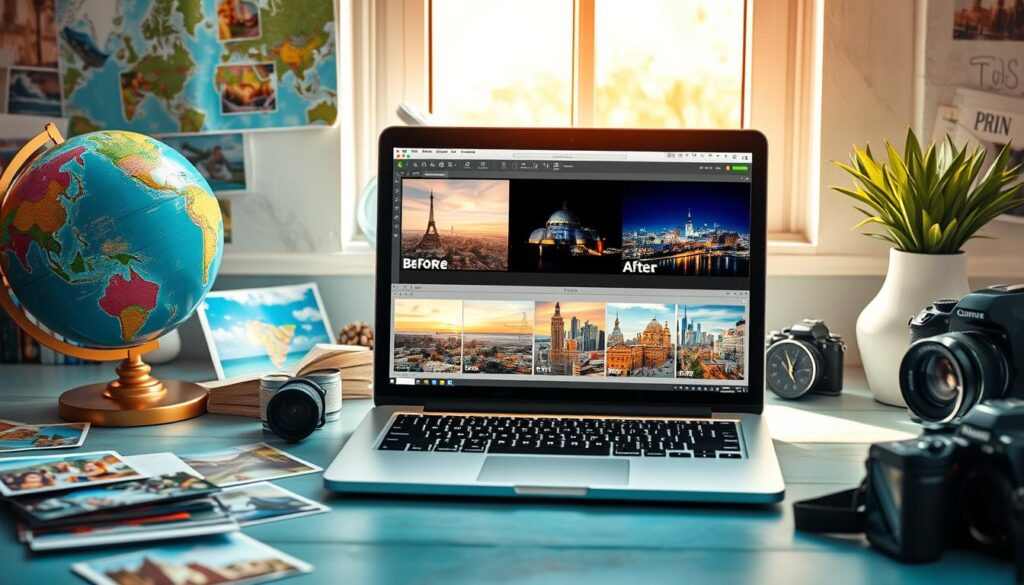
Travel photography captures amazing moments. Strategic digital photo enhancement transforms raw images into stunning visual stories. Mastering image retouching can turn ordinary snapshots into professional-quality photographs1.
Editing is where the real magic happens2. Choosing the right platform is crucial. Many photographers now edit across multiple devices, with mobile editing gaining popularity1.
Understanding core photo editing tips will boost your visual storytelling. This applies whether you work on a smartphone or computer. Adobe Lightroom is a top choice for serious photographers.
Lightroom offers comprehensive tools for digital photo enhancement. Its user-friendly interface makes it accessible for beginners seeking professional-quality results1.
Key Takeaways
- Photo editing transforms ordinary travel images into professional-quality memories
- Mobile and computer editing platforms offer unique advantages
- Understanding basic image retouching techniques is crucial
- Professional software like Adobe Lightroom provides comprehensive editing tools
- Consistent practice improves your digital photo enhancement skills
Understanding the Basics of Photo Editing
Photo editing is crucial for photographers. It can transform your travel photography. Learning core image manipulation principles is key to mastering post-processing.
Digital photography goes beyond capturing moments. Color correction brings images to life. Raw images often need careful refinement to truly shine3.
Importance of Lighting in Photography
Lighting is vital for stunning photographs. Understanding various light conditions is essential. Here are key considerations for managing light:
- Analyze the natural light in your scene
- Use histogram to check tone distribution3
- Adjust exposure to capture details in shadows and highlights
Adjusting Contrast and Exposure
Precise editing can dramatically improve your photos. Adobe offers powerful tools for all skill levels4:
| Editing Technique | Purpose | Impact |
|---|---|---|
| Exposure Adjustment | Balance light levels | Reveal hidden details |
| Contrast Enhancement | Define image depth | Create visual impact |
Color Correction: Tips for Vibrant Photos
Color correction requires a delicate touch. Work with your photo, not against it5. Start by understanding these key principles:
- Adjust white balance to remove color casts3
- Increase saturation carefully to avoid unrealistic colors3
- Use RAW format for maximum editing flexibility3
“Editing is not about perfection, but about bringing your vision to life.” – Professional Photography Insight
Great post-processing comes from practice and experimentation4. Try different techniques to develop your unique editing style.
Essential Tools and Software for Editing
Photo editing can be daunting. But with the right tools, you can transform your travel photos into extraordinary images. Picking the right software is key to enhancing your pictures.
Top Photo Editing Apps for Travelers
Snapseed and VSCO are powerful options for mobile editing. Snapseed offers precise features for detailed adjustments to your travel memories6.
- Snapseed: Precise brightness and white balance adjustments
- VSCO: Professional-grade filters and presets
- Lightroom Mobile: Comprehensive RAW Image Editing capabilities
Choosing Professional Editing Software
Adobe Photoshop and Lightroom remain the gold standard in photo editing software7. Photoshop’s neural filters can streamline your Lightroom workflow, simplifying complex edits7.
| Software | Key Features | Best For |
|---|---|---|
| Adobe Photoshop | Neural filters, comprehensive editing | Professional photographers |
| Capture One Pro | RAW processing, tethering | Studio and professional work |
| Luminar AI | AI-powered quick edits | Beginners and hobbyists |
Using Presets to Maximize Efficiency
Photoshop Tutorials often suggest using presets to save time. VSCO film presets can be imported into Lightroom, giving images a pro touch with one click6.
“The right editing tool can turn a good photo into an unforgettable memory.” – Professional Travel Photographer
Choose software that matches your skill level and editing needs. Try multiple options during free trials to find your perfect match6.
Advanced Techniques for Stunning Travel Photos
Mastering portrait and landscape photo editing requires advanced image manipulation skills. Pro photographers use sophisticated tools to transform ordinary travel snapshots. They create extraordinary visual stories through strategic editing workflows using specific techniques8.
Creating a consistent visual style involves using editing presets and adjustment techniques. Lightroom offers powerful tools to apply similar settings across multiple images9. Photographers can use local adjustment tools to enhance specific areas while maintaining a cohesive look9.
Advanced editing techniques include working with layers for precise modifications. Retouching tools help clean up imperfections and elevate your travel photography9. When adding text and graphics, ensure they complement the image and enhance your visual story10.
FAQ
What’s the best software for editing travel photos?
Adobe Lightroom is the top choice for travel photographers. It offers extensive editing tools and RAW file support. Lightroom provides powerful features for color adjustments and lens corrections.
For mobile editing, Snapseed and VSCO are excellent options. These apps offer precise editing features and professional filters.
How long should I spend editing each photo?
Spend about 30-60 seconds tweaking each image. Use presets to quickly apply a consistent look. Make minor adjustments to brightness, contrast, vibrancy, and white balance.
What’s the importance of shooting in RAW?
RAW files capture more image data, allowing for extensive changes without quality loss. This is crucial for travel photography, where lighting conditions can be challenging.
RAW format provides better editing capabilities and maximum flexibility in post-processing.
How do I backup my photos while traveling?
Use two portable 2TB hard drives to backup your images daily. Import photos into Adobe Lightroom for editing and backup. Organize images by year, date, and location for easy searching.
What are some quick editing tips for travel photos?
Use presets to establish a consistent look across your images. Adjust white balance, crop images, and reduce noise. Use masks to bring out details in challenging areas like skies.
In Lightroom, use sliders for quick adjustments to brightness, contrast, and vibrancy. Subtle edits often work best for natural-looking travel photos.
How can I create a unique style in my travel photography?
Develop a consistent editing approach using similar presets or settings. Experiment with color grading and learn to use layers for precise edits. Pay attention to overall composition to develop your unique style.
Are mobile editing apps as good as desktop software?
Mobile apps like Snapseed and VSCO are great for quick edits. However, professional software like Adobe Lightroom maintains better photo quality. Desktop software provides more advanced tools and greater editing precision.
Source Links
- A Guide – Passion Passport – https://passionpassport.com/travel-photo-editing-beginners/
- 7 Editing Tips to Improve Your Travel Photographs – https://www.nomadicmatt.com/travel-blogs/editing-tips-to-improve-your-photos/
- Photo Editing for Beginners: A Simple Introduction – https://digital-photography-school.com/basic-photo-editing-for-beginners/
- The Beginner’s Guide to Photo Editing: Tips and Tricks to Get Started — Mango Street – https://www.mangostreetlab.com/blog/the-beginners-guide-to-photo-editing-tips-and-tricks-to-get-started
- Photo Editing Fundamentals You Need To Know — Roman Fox – https://www.snapsbyfox.com/blog/photo-editing-fundamentals-you-need-to-know
- Beginner’s Guide to Photo Editing Software | ShootProof Blog – https://www.shootproof.com/blog/beginner-photo-editing-software-2/
- Best photo editor of 2024 – https://www.techradar.com/news/best-photo-editor
- Travel Photo Editing On The Go: My Ideal Workflow Tips – https://www.passportandpixels.com/travel-photo-editing-workflow/
- Photo Editing Tips for Adventure Photography — Roo Smith – https://roosmith.com/blog/photo-editing-tips-for-adventure-photography
- How To Take Better Travel Photos: Expert Tips and Tricks – https://www.reneeroaming.com/how-to-take-better-travel-photos/