
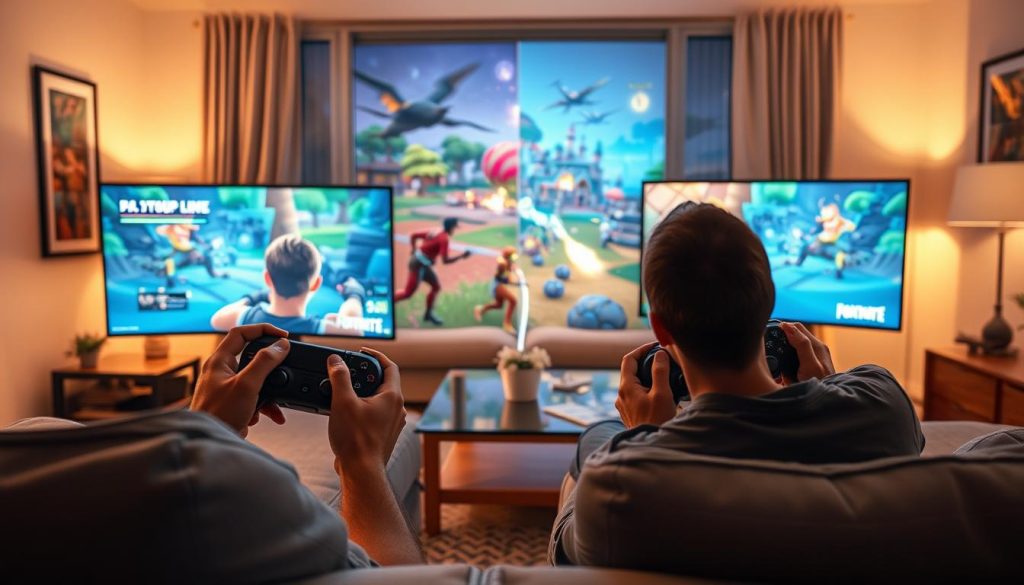
Fortnite fans can now enjoy split-screen mode on certain gaming consoles. This feature lets friends battle together in the same room1. It’s available on PlayStation 4, PlayStation 5, Xbox One, and Xbox Series X/S1.
Split-screen offers a unique way to share the action simultaneously. Console players can team up for cooperative gameplay1. The mode supports Duos and Squads within Battle Royale1.
Key Takeaways
- Split-screen available on PlayStation and Xbox consoles
- Supports Duos and Squads Battle Royale modes
- Requires individual controllers for each player
- Screen divided equally between players
- Not supported on PC or mobile platforms
Understanding Split-Screen Availability in Fortnite
Fortnite’s split-screen mode brings a new twist to co-op gameplay. Friends can now battle together on one screen. This feature is available on select gaming platforms2.
Supported Gaming Platforms
Split-screen mode works on specific gaming consoles. Players can enjoy this feature on:
Game Mode Restrictions
Split-screen isn’t available in all Fortnite game modes. Players can use it in these modes:
Important Note: Split-screen doesn’t work in Ranked, Creative, or Limited Time events3.
System Requirements
To use Fortnite split-screen, players need certain things. These include two controllers and separate user profiles4.
Both players must use the same language settings. You can choose horizontal or vertical screen splits2.
Split-screen might not work during updates or technical issues4. Check the game’s status if you have problems.
How to Do Split Screen on Fortnite
Fortnite’s split screen setup is easy to follow. It works only on gaming consoles, offering a fun way to play together5.
Make sure you have two controllers and separate player accounts. Split-screen mode is available on specific platforms.
- PlayStation 4 and PlayStation 5
- Xbox One and Xbox Series X/S
Follow these steps to enable split-screen mode:
- Launch Fortnite on your console
- Navigate to the main lobby
- Connect the second controller
- Log in to the second player’s account
- Press the specific button to activate split-screen:
- Triangle for PlayStation
- A button for Xbox
Split-screen has some key limitations. It’s only compatible with Duos and Squads game modes6.
The game session will end if either player disconnects5.
Pro tip: Keep a stable internet connection. Make sure both players have updated game versions for the best experience.
Split-screen can cut screen visibility by up to 50%. This might affect how well you see the game5.
Talk clearly with your gaming partner to overcome this challenge6.
Essential Tips for Split-Screen Gaming Success
Mastering Fortnite dual player mode needs smart planning and prep. Players can boost their split-screen experience by using key tricks. These methods help improve performance and fun.
Screen Layout Optimization
In Fortnite dual player mode, screen setup matters a lot. The screen splits horizontally, with Player 1 on top and Player 2 below7.
Try these screen tricks:
- Adjust screen brightness for equal visibility
- Calibrate individual screen areas to reduce glare
- Select color schemes that improve visual clarity
Communication Strategies
Good talking is key in Fortnite dual player mode. Use these team tricks:
- Use headset communication channels
- Develop quick hand signals for silent coordination
- Practice synchronized movement techniques
Performance Settings
For smooth gameplay, keep your system in top shape8. Focus on these things:
- Keep controllers fully charged
- Verify stable internet connection
- Close background applications
Pro tip: Have spare controllers ready. Make sure both players use the same language settings for a smooth experience8.
Conclusion
Do Split Screen on Fortnite lets friends play together on one screen. This feature works on PlayStation and Xbox consoles. Two players can team up in Duos and Squads modes91011.
The shared screen might affect visuals and gameplay speed. But the fun of playing together makes up for it. Gamers can learn split-screen tricks to boost their experience910.
Split Screen offers a chance to game with others at home. Check if your console can use this feature before playing. Also, know which game modes allow split-screen play911.
FAQ
Which platforms support Fortnite split-screen mode?
Split-screen mode works on PlayStation 4, 5, Xbox One, and Series X/S consoles. PC, Nintendo Switch, and mobile platforms don’t have this feature.
How many players can play split-screen in Fortnite?
Two players can enjoy split-screen on one console. You’ll need two controllers and two separate player accounts.
What game modes can I play in split-screen?
Split-screen is only for Battle Royale mode, including Duos and Squads. It’s not available for Creative or limited-time modes.
Do both players need a PlayStation Plus or Xbox Live Gold subscription?
Yes, both players need active subscriptions. This is required for online multiplayer matches in split-screen mode.
Can players use different language settings in split-screen?
No, both players must use the same language settings. This is necessary to start split-screen mode in Fortnite.
How do I change the split-screen layout?
You can choose horizontal or vertical layouts in the game settings. This helps both players find their most comfortable viewing arrangement.
What controllers are compatible with Fortnite split-screen?
Official PlayStation and Xbox controllers work well. Each player needs their own controller for split-screen play.
Are there any performance limitations in split-screen mode?
Split-screen may cause slight performance drops. This is due to rendering two game views at once.
Newer consoles like PS5 and Xbox Series X/S handle split-screen better.
Can I play split-screen with someone in a different location?
No, split-screen is for local play only. Both players must be on the same console in the same place.
Do I need to download anything extra to use split-screen?
No extra downloads are needed. Split-screen is already part of Fortnite on supported consoles.
Source Links
- GameTree – Gamer Discovery Network – https://gametree.me/blog/fortnite-split-screen/
- Fortnite split-screen explained: How to play local multiplayer – https://www.radiotimes.com/technology/gaming/fortnite-split-screen-explained/
- How to Play Fortnite Split Screen – https://beebom.com/how-play-fortnite-split-screen/
- How to Play Split Screen Fortnite on Xbox and PlayStation Consoles – https://www.lifewire.com/using-split-screen-in-fortnite-5077009
- How to play Fortnite split screen – Dexerto – https://www.dexerto.com/fortnite/how-to-play-fortnite-split-screen-ps4-xbox-one-ps5-xbox-series-1299373/
- How to play split screen on Fortnite in 4 steps – https://www.thespike.gg/fortnite/settings/how-to-play-split-screen-on-fortnite
- How to Play Fortnite Split Screen on Xbox and Playstation – https://www.addictivetips.com/gaming/how-to-play-fortnite-split-screen/
- How to Play Fortnite on Split-Screen Mode (PS5/ PS4/ Xbox) – https://www.droidthunder.com/play-fortnite-split-screen-mode/
- How to Do Split Screen on Fortnite? – Guide for Console Players – https://gaming.clickdo.co.uk/how-to-do-split-screen-on-fortnite/
- How to Do Split Screen on Fortnite [Ultimate Guide] – https://www.obsbot.com/blog/game/split-screen-on-fortnite?srsltid=AfmBOopcXLAJWN6BPpRBQJzlqmnSzzcYuQZU4hFVCN2rx0FLe8jQOSBP
- What Is a Split screen in Fortnite, and How to Use it on PC and Consoles? – https://brightchamps.com/blog/how-to-do-split-screen-on-fortnite/

