
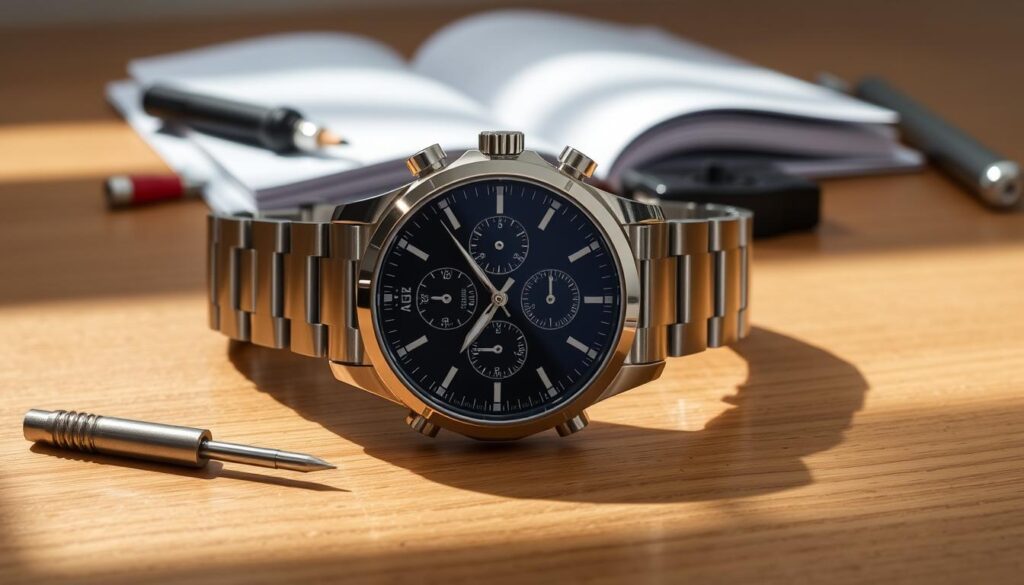
Setting an Armitron watch is simpler than you might think. This guide will help you adjust your new or existing timepiece. Armitron offers various watch styles, each with its own setting method1.
Armitron watches are user-friendly and budget-friendly, starting at just $251. Fitness buffs love these watches for their workout tracking features. Unlike some watches, Armitron models need manual time adjustment1.
Different Armitron models may have slightly different setup processes. Pro Sport watches, for example, have unique button layouts for setting time and features1.
Key Takeaways
- Armitron watches are affordable and functional timepieces
- Manual time setting is required for most models
- Different watch types have unique button configurations
- Watch comes with a lifetime warranty against material defects2
- Recommended professional maintenance for optimal performance
Understanding Your Armitron Watch Features
Armitron watches offer a wide range of styles and functions. They cater to every preference and budget. Prices start at $25 and go up for more sophisticated timepieces.
Types of Watch Movements
Armitron watches come with different movement types to suit various needs:
- Quartz Movement: Reliable and low maintenance, using a battery and quartz crystal3.
- Mechanical Movement: Requires manual winding, relying on gear trains and springs3.
- Automatic Movement: Self-winding mechanism powered by wrist motion3.
Key Watch Functions to Understand
Setting up your Armitron watch requires understanding key functions. Analog watches use a crown with three positions. These allow precise time and date adjustments1.
Digital models have multiple buttons for various settings. You can easily switch between 12-hour and 24-hour time formats.
Common Buttons and Their Purposes
For digital Armitron watches, you’ll typically find four primary buttons:
- Reset (A): Resets stopwatch or timer functions
- ST/STP (D): Start and stop timing
- Mode (B): Switch between different watch modes
- Light (C): Activate backlight for night viewing
“Understanding your watch’s features is the first step to mastering its full potential.”
Most Armitron watches are water-resistant for everyday wear1. For maintenance, consult local jewelers or approved service centers1.
Knowing your watch’s features helps you make the most of it4. This applies to both digital and analog Armitron watches.
Preparing to Set Your Armitron Watch
Setting your Armitron watch needs careful prep. The right approach ensures accuracy and prevents damage. This makes the process smooth and straightforward.
Take a moment to gather everything you’ll need. Your Armitron watch care guide suggests a few key steps. These steps will help you prepare properly.
Essential Preparation Materials
- Your Armitron watch manual
- Clean, soft cloth
- Good lighting
- Flat, stable surface
- Patience and steady hands
Creating the Perfect Workspace
Pick a well-lit area with few distractions. A clean, flat surface helps you focus on precise setting. Natural daylight works best for seeing small details5.
“Preparation is the key to precision in watch setting.”
Watch batteries usually last 1-2 years. If your watch seems unresponsive, it might need a new battery5. Armitron offers customer support at (866) 631-0342 for extra help5.
Pre-Setting Checklist
- Verify watch battery status
- Clean watch surface gently
- Read manual thoroughly
- Ensure good lighting
- Find a comfortable position
Pro tip: Always handle your watch with care to maintain its integrity and extend its lifespan. Armitron provides a limited lifetime warranty for defects5.
Step-by-Step Instructions to Set Your Armitron Watch
Setting up your Armitron watch is easier than you think. With the right instructions, you’ll master it quickly. This guide covers both digital and analog models for accurate timekeeping1.
Mastering Time Settings
For digital Armitron watches, follow these simple steps:
- Press and hold the Reset button until you hear a beep1
- Use the Mode button to cycle through different settings
- Press ST/STP to adjust values accurately1
Date and Day Adjustments
To adjust the date on analog Armitron watches:
- Pull the crown to position B
- Rotate the crown to set the correct date
- Push the crown back to its original position
Exploring Additional Watch Features
Your Armitron watch offers more than just timekeeping. Check out these exciting features:
| Feature | How to Activate |
|---|---|
| Second Time Zone | Press Mode button 3 times1 |
| Exercise Modes | Includes Walking, Running, Cycling6 |
| Heart Rate Monitoring | Enable with warning feature6 |
Pro Tip: Always refer to your specific model’s manual for precise instructions on how to set your Armitron watch1.
Now you’re ready to set and customize your Armitron watch. Enjoy your perfectly tuned timepiece!
Troubleshooting Common Issues
Battery problems often plague Armitron watches. Watch batteries usually last 1-2 years, depending on features. If your watch stops, a dead battery might be the cause. For battery replacement, visit an authorized Armitron service center78.
Keep your watch accurate by handling it with care. Avoid extreme temperatures and magnetic fields. For water-resistant models, push the crown in fully before water exposure7.
Sometimes, a simple reset can fix watch issues. This shows how effective at-home troubleshooting can be8.
When DIY fixes fail, seek professional help. Armitron watches have a limited lifetime warranty for defects7. For complex repairs, authorized service centers are your best bet.
Most Armitron owners trust professionals for intricate maintenance8. They can handle cleaning, lubrication, and crystal replacement expertly.
FAQ
How do I set the time on my Armitron digital watch?
Hold down the Reset button until the watch beeps. Use the Mode button to cycle through settings. Adjust values with the ST/STP button.
Most digital Armitron watches let you switch between 12-hour and 24-hour formats.
What’s the process for setting an Armitron analog watch?
Gently pull out the crown to its second position. Rotate it to set the correct time. Push it back in when done.
For watches with a date window, use the middle crown position. Set the date carefully.
How do I replace the battery in my Armitron watch?
Armitron suggests visiting a local jeweler for battery replacement. Professional installation prevents damage to your watch’s delicate parts.
Are Armitron watches water-resistant?
Most Armitron watches are water-resistant. Never use buttons underwater. Push the crown in fully before water exposure.
Check your model’s water resistance rating in the user manual.
What should I do if my Armitron watch isn’t keeping accurate time?
Keep your watch away from extreme temperatures and magnetic fields. Check if the battery is installed correctly.
For ongoing issues, visit an Armitron authorized service center.
Does Armitron offer a warranty on their watches?
Armitron provides a lifetime warranty against defects in material or workmanship. This doesn’t cover normal wear, abuse, or improper use.
Handling fees may apply for repairs. Check your watch’s specific warranty terms.
Can I adjust additional features on my Armitron watch?
Many Armitron digital watches have extra features like alarms and stopwatches. Check your user manual for button combinations.
Digital models often let you set multiple time zones too.
How do I clean and maintain my Armitron watch?
Clean your watch with a soft, dry cloth. Avoid water or chemicals unless it’s made for wet conditions.
For professional care, visit an authorized Armitron service center. They can clean, lubricate, and replace crystals.
Source Links
- Exactly How to Change the Time on an Armitron Watch | Livestrong.com – https://www.livestrong.com/article/247211-instructions-to-set-the-time-on-an-armitron-pro-sports-watch/
- Watch Care, Instructions, and Warranty Information – https://www.armitron.com/pages/manual?srsltid=AfmBOoooQyLm0nfM_P4aiZRZ5XHh9WqlhyhdFc7m4VvpjQh8p99aYzwX
- Complete Guide to the Parts of a Watch – https://www.armitron.com/blogs/news/parts-of-a-watch?srsltid=AfmBOoqAUCEcI83ZSC0P4Z-brGPA5IMizuRBfXpvfbvKdH940A6W4MGm
- Watch Care, Instructions, and Warranty Information – https://www.armitron.com/pages/manual?srsltid=AfmBOorJF3EGH4G_NhwORRhF6zvnXlGWmTZiLuE2vQQLFtwDvW8BYThJ
- FAQ – Frequently Asked Questions – https://www.armitron.com/pages/faq?srsltid=AfmBOorGrXuskUhJ7xl9wne3RL0hes58yp1NFmp02VXSNnGomu9L1f8n
- Sync Smartwatch Instructions – Armitron Connect – https://armitronconnect.com/sync-smartwatch-instructions/
- FAQ – Frequently Asked Questions – https://www.armitron.com/pages/faq?srsltid=AfmBOoqIDpbl-ovhJRLRxj3-kE3BuT9GbfQzy8d9iIEvm8zZcFXsaeLu
- How to Identify the Need for Armitron Watch Repair – https://www.life123.com/lifestyle/identify-need-armitron-watch-repair

