
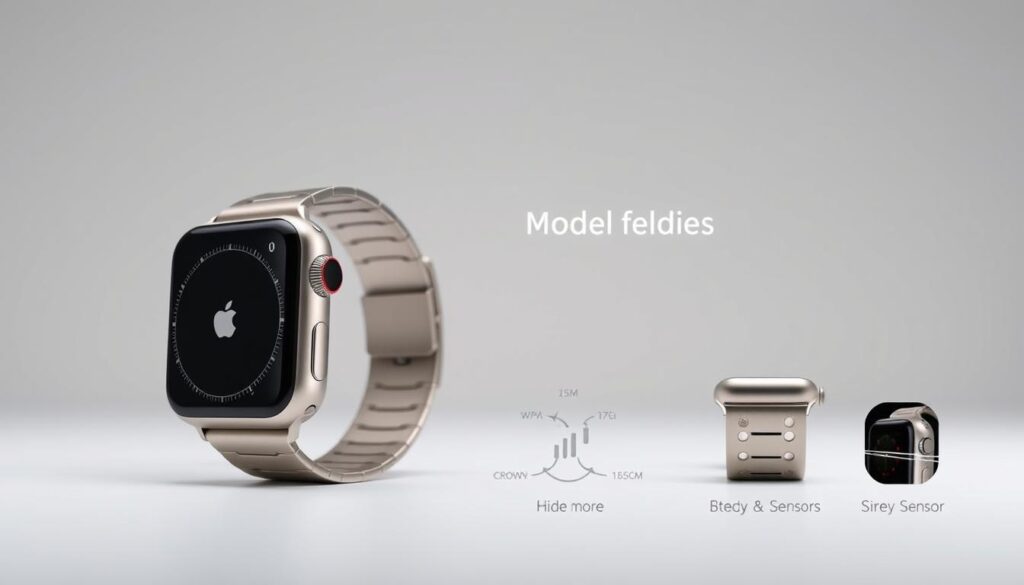
Knowing your Apple Watch model is crucial for various reasons. It helps with accessory purchases and troubleshooting technical issues. Understanding your wearable tech doesn’t have to be hard1.
Apple has released many Watch models over time. These range from the original to the Series 9 and Ultra 21. Each device has unique features that set it apart.
Different models come in various case sizes. These include 41mm, 45mm, and 49mm options1.
Your iOS device can quickly identify your Apple Watch. Knowing your exact model ensures you get the right updates and support2.
Key Takeaways
- Multiple methods exist to identify your Apple Watch model
- Model numbers always start with “A”
- Physical inspection can reveal critical device information
- Different models have unique case sizes and materials
- Accurate identification helps with updates and accessories
Understanding Apple Watch Models and Series
Choosing the right Apple Watch can be tricky. Knowing the different models helps you pick the best fitness tracker. Apple’s smartwatch lineup has evolved, bringing new features that change how we use technology3.
Apple Watch Series Evolution
Apple offers three main watch models. These are the Series 10, Ultra 2, and second-generation SE3. Each model has unique features to fit different lifestyles.
Key Differences Between Models
| Model | Display Size | Battery Life | Target User |
|---|---|---|---|
| Series 10 | 42mm or 46mm | Up to 18 hours | General users |
| Ultra 2 | 49mm | Up to 36 hours | Athletes and adventurers |
| SE | 40mm or 44mm | Up to 18 hours | Budget-conscious users |
The models vary in features and smart notifications. Ultra 2 is built for extreme activities. The SE offers an affordable way into the Apple ecosystem3.
Importance of Model Identification
Knowing your Apple Watch model helps you understand:
- Available health tracking features
- Software compatibility
- Potential resale value
- Upgrade opportunities
Newer models bring exciting features like the Precision Finder and brighter displays. They also introduce new ways to interact with your device3.
Understanding these differences helps you choose your ideal smart companion. You’ll make a better decision when selecting your Apple Watch.
Finding Your Apple Watch Model Using Your Device
Knowing your Apple Watch model is key to using its features fully. It helps you understand what your watch can do. This knowledge lets you make the most of your device.
Your iOS device and Apple Watch offer easy ways to find your model. Let’s look at the best methods to get this info.
Checking in the Settings App on Your Apple Watch
Here’s how to find your Apple Watch model on the device:
- Open the Settings app on your Apple Watch
- Tap General
- Select About
- Find the Model field, which displays your watch’s unique identifier4
Using the Apple Watch App on Your iPhone
You can also use the Apple Watch app on your paired iPhone:
- Launch the Apple Watch app
- Tap the My Watch tab
- Navigate to General > About
- Locate the Model field to reveal your watch’s specific details5
Pro Tip: The initial part number starts with “M”, but tapping this field will reveal the full model number beginning with “A”.
Knowing your Apple Watch model helps you use its special features. These may include advanced sensors and specific watchOS functions for your device4.
Identifying Your Apple Watch Through Physical Inspection
Figuring out your Apple Watch model is easier than you might think. Your watch’s physical features can reveal its specific model and series. A quick look at the device can tell you a lot6.
The back of your Apple Watch is full of useful information. Check the engraved text for the model number starting with “A” and a serial number. These details help identify different watch sizes and materials7.
Your watch could be aluminum, stainless steel, or titanium. Each material is part of Apple’s diverse product line.
Decoding the Model Number
The case size of your watch is another important clue. Sizes like 40mm or 44mm can help narrow down the series. Some features, like the Digital Crown with ECG sensor, point to specific models.
For a sure identification, use Apple’s Check Coverage website. Enter your serial number there to get all the details. You can find the link at this helpful guide6.
FAQ
How can I identify my specific Apple Watch model?
There are three ways to identify your Apple Watch model. Use the Settings app on your watch or the Apple Watch app on your iPhone. You can also check the back of your watch for the engraved model number.
Open Settings > General > About to find the model number. The model number on the watch starts with “A”.
What information do I need to look for when identifying my Apple Watch?
Look for the model number, case size, and material. The model number starts with “A”. Case sizes include 40mm or 44mm. Materials can be aluminum, stainless steel, or titanium.
The serial number can be used on Apple’s Check Coverage website. This will give you detailed information about your specific device.
What are the key differences between Apple Watch models?
Apple Watch models vary in display technology, health sensors, and screen sizes. Some use Ion-X glass, while others have sapphire crystal displays. Health features may include ECG and blood oxygen monitoring.
Each series introduces new improvements. The latest models are the Series 9 and Ultra 2.
Why is it important to know my specific Apple Watch model?
Knowing your exact model is crucial for software updates and accessory compatibility. It helps determine which features your watch supports. This knowledge also ensures you get appropriate accessories and support.
Understanding your model is important for determining resale value.
How can I find my model number on an iPhone?
Open the Apple Watch app on your iPhone. Tap the My Watch tab, then go to General > About. Find the Model field, which initially shows a part number starting with “M”.
Tap this field to reveal the full model number. The full number begins with “A”.
Can I use the serial number to identify my Apple Watch?
Yes, you can use the serial number to identify your Apple Watch. Visit Apple’s Check Coverage website at https://checkcoverage.apple.com/. Enter your serial number to get detailed information about your watch.
This lookup will show your specific model, warranty status, and coverage details.
Source Links
- Identify your Apple Watch – Apple Support (PH) – https://support.apple.com/en-ph/108056
- Apple Watch Model Number Lookup – SimplyMac – https://www.simplymac.com/apple-watch/how-to-identify-your-apple-watch-by-the-model-number
- Which Apple Watch Is Right for You? (All Models Compared) – https://www.gearpatrol.com/tech/best-apple-watch/
- Apple Watch – Why Apple Watch – https://www.apple.com/watch/why-apple-watch/
- Apple – How can I tell what model Apple Watch I have? – https://www.equipo.co.nz/collections/what-model-apple-watch-do-i-have
- Butler Snow | Utilizing Apple Watch Data in Civil Litigation – https://www.butlersnow.com/news-and-events/utilizing-apple-watch-data-incivil-litigation
- Apple Watch Repair Services: What to Expect — Cell Phone 911 | Cell Phone Repair – https://www.cellphone911az.com/our-blog-1/2024/8/1/apple-watch-repair-services-what-to-expect

